
CRIMEWATCH
CRIMEWATCH TechnologiesNews & Magazines
3.489.00 Reviews
- Version
- 4.0.2
- Installs
- 100.00K
- Age Rating
- Teen
Screenshots
Our Review of CRIMEWATCH
 Analysis by Appyee
I approached CRIMEWATCH as a local news and community-awareness app rather than as a replacement for emergency services or a general newspaper. Its purpose is easy to understand: bring crime-related information and community collaboration into one mobile experience. That focus makes it potentially useful when I want to stay aware of what is happening around me, but it also means its value depends heavily on how relevant local information is to my daily life.
Developed by CRIMEWATCH Technologies, the app sits in the News & Magazines category and is available free of charge. It has been around since November 17, 2015, and the current release is version 4.0.2, supporting devices running Android 7.0 or later. Those details matter because this is not a brand-new experiment, yet compatibility may still be a practical concern for anyone using an older phone.
The store summary describes its goal as creating safer communities through collaboration. In my view, that phrase is best understood as an invitation to follow local public-safety information and participate responsibly, not as a promise that the app can prevent incidents by itself. The service is aimed at people who want a more focused stream than broad national news, especially when neighborhood-level awareness is important.
How CRIMEWATCH fits into everyday local awareness
I find CRIMEWATCH most useful when I treat it as a deliberate check on local awareness, not another feed to scroll whenever I have a spare moment. Its crime-focused scope can help me decide what information deserves attention and what should be checked against other sources. That practical routine also makes it easier to judge whether the app’s focused approach suits me better than a general local-news feed.
A focused alternative to general news feeds
Most news apps are built around national headlines, politics, weather, sports, or entertainment. CRIMEWATCH takes a narrower route. Instead of asking me to search through a large publication for a local incident, it is designed around crime and community-safety information. That tighter subject area can be a strength when I want relevant updates without scrolling through unrelated stories.
The trade-off is that a specialized feed is not automatically a complete picture of local life. I would still use a conventional local news source for road closures, school announcements, severe weather, public meetings, and broader community reporting. CRIMEWATCH makes more sense beside those tools than in place of them.
This distinction is important for expectations. Someone looking for a full daily news briefing may find the experience too narrow. Someone who wants a dedicated place to check public-safety information may appreciate the clearer purpose. I see it as a supplementary awareness tool, not a universal newsstand.
A realistic morning and evening routine
A practical routine would be checking the app briefly before leaving home, particularly if I am traveling through different parts of my area. I could use that moment to see whether there is information relevant to a route, a neighborhood, or a place I plan to visit. In the evening, another quick check could help me stay informed without spending time on a general social-media feed.
The useful habit is not constant refreshing. Repeatedly watching crime-related updates can make ordinary life feel more threatening, especially when isolated incidents are viewed without wider context. I would treat the app as a short, intentional check-in: read carefully, note what is relevant, and avoid turning it into background anxiety.
For families, the same approach can support a calm conversation about awareness. A parent might look at local information before discussing a child’s route home, while a commuter could use it as one input when planning travel. The key is to use the information to make sensible decisions rather than to assume every report requires a dramatic change of plans.
What the free price means in practice
There is no purchase price to weigh before trying CRIMEWATCH. That gives the app a straightforward advantage over paid news products: I can test whether its local coverage and usefulness fit my routine without committing money first. For a person who only occasionally wants this kind of information, free access lowers the barrier considerably.
Free access does not automatically make every experience valuable. The real question is whether the information is relevant enough, timely enough, and easy enough to understand for my location. If I rarely need crime-focused updates, even a free app can become unnecessary clutter. If it helps me follow a community I care about, the absence of an upfront cost makes experimentation reasonable.
I also would not assume that free access means the app replaces every other safety resource. In an urgent situation, I would contact the appropriate emergency service rather than wait for a mobile feed. For background awareness, the app may be useful; for immediate assistance, it is the wrong tool to rely on.
Where the app can deliver real value
The strongest value comes from concentration. A broad news application may bury a local public-safety item among dozens of unrelated stories, while a focused service can make that subject easier to follow. This is especially helpful for residents who want to understand what is happening near home, work, school, or a frequently visited area.
Another useful quality is the community angle. Information about crime can feel distant when it is presented only as a headline. A community-oriented app encourages me to think about local awareness as something people share responsibility for. That does not mean treating every user report or notice as proven fact; it means reading with care and recognizing that context matters.
My advice is to separate three things while using it: information worth knowing, information that requires verification, and information that demands immediate action. Those are not the same. A notice may raise awareness without confirming a continuing danger. A report may be relevant to a neighborhood but unrelated to my route. A serious emergency may require a direct call, not a passive app check.
Reading responsibly instead of reacting quickly
Crime-related content can be emotionally powerful, so I would avoid sharing a post simply because its wording sounds alarming. Before passing information along, I would check the location, the timing, and whether the item is describing an active situation or a past event. This is one of the most important ways to get value from a community-safety app without adding confusion.
I would also resist using the app to judge an entire neighborhood from a few visible incidents. A focused feed naturally highlights problems rather than ordinary uneventful days. That makes it useful for awareness but poor as a standalone measure of whether a community is safe, unsafe, improving, or declining.
For this reason, CRIMEWATCH works best when paired with common sense and other reliable local sources. Its role is to help me notice information, not to make every conclusion on my behalf.
The main trade-off: relevance can vary
The biggest limitation is likely to be uneven personal relevance. A person living, working, or studying in an area covered by the service may find frequent reasons to open it. Someone who moves between places that are not central to their routine may get less value. The same app can feel highly practical to one user and nearly empty of useful context to another.
This is a different trade-off from a general news app. Broad services usually offer plenty to read but require more filtering. CRIMEWATCH offers a more specific purpose, but the narrower focus means there may be fewer reasons to open it on a quiet day. I prefer that honesty to pretending a specialized app should replace a complete news routine.
Why the rating deserves perspective
The app has an average rating of 3.4 from around 236 ratings, with 89 written reviews. I would read that as a sign to keep expectations measured rather than as an automatic reason to reject it. A middling average can reflect differences in local usefulness, device experience, expectations, or the gap between what users want from a news app and what a focused public-safety service is designed to provide.
The number of installs is over 100 thousand, which suggests that it has reached a meaningful audience without proving that it will be equally useful in every location. I would use the rating as one signal, then make the decision based on whether the app’s purpose matches my needs and whether its local information feels worthwhile after trying it.
Device age and version considerations
Support for Android 7.0 or later covers many older devices, but not every phone in use today will meet that requirement. If I were installing it on an aging handset, I would check the Android version before spending time troubleshooting. The current version, 4.0.2, indicates the app has an identifiable maintained release, although a version number alone does not guarantee that every device will behave identically.
I would also judge the experience on my own phone rather than assuming that another user’s result will be the same. News and community apps can feel very different depending on screen size, notification habits, connection quality, and how often the user’s area produces relevant information. A quick trial is more informative than relying on the app’s age or rating alone.
Who is most likely to benefit
CRIMEWATCH is a sensible match for residents who want a dedicated source for local crime and community-safety information. It may also suit people who regularly travel through a particular area and want another way to stay aware of local developments. Because it is free, trying it does not require the financial commitment associated with paid news subscriptions.
I can also see value for users who dislike algorithm-heavy social feeds. Social networks often mix urgent claims, opinions, jokes, and unrelated posts in one stream. A purpose-built app can create a more deliberate place to check this subject, even though I would still verify anything important before acting on it.
It is less suitable for someone who wants a broad newspaper-style experience, detailed investigative reporting across many subjects, or a single app for weather, traffic, entertainment, and local events. It is also not the right choice for anyone expecting instant emergency response or guaranteed protection. Those needs call for different services and habits.
How I would use it without letting it take over
I would begin by checking whether the app’s information matches the places I actually care about. If it does, I would establish a limited routine rather than enabling every possible alert automatically. Notifications can be useful when they are focused, but too many crime-related prompts can become distracting or stressful.
My second tip is to keep a small mental boundary between awareness and action. I might adjust a route or postpone a visit when reliable information supports that decision, but I would not make broad judgments from a single item. I would also avoid identifying people, repeating rumors, or treating a community discussion as a substitute for official confirmation.
My third tip is to compare its usefulness with the local news source I already trust. If CRIMEWATCH consistently surfaces information that I would otherwise miss, it earns a place on my phone. If it merely duplicates another feed while adding anxiety or notifications, removing it is reasonable even though the download was free.
My recommendation after weighing the trade-offs
I recommend CRIMEWATCH as a free, focused companion for local awareness, especially for users who want crime-related information separated from the noise of a general news feed. Its appeal is practical rather than flashy: it gives a specific subject its own space and encourages attention to community information.
I would not recommend installing it with the expectation that it will function as a complete news service, an emergency line, or a definitive safety score for a neighborhood. Its value depends on local relevance and on the user’s ability to read reports carefully. The narrower purpose is both its strongest feature and its clearest limitation.
My final verdict is to try it if local public-safety updates are genuinely part of your routine, particularly because the app is free and supports Android 7.0 or newer. Keep it alongside, not instead of, trusted local journalism and emergency resources. If you want a broad daily news experience or prefer not to receive crime-focused information, skip it; if you want a dedicated community-awareness tool and are comfortable using it thoughtfully, CRIMEWATCH is worth testing without financial risk.
Verdict
Strengths of CRIMEWATCH
- Helps residents stay informed about local crimes and police activity.
- Offers alerts that can improve awareness of nearby safety concerns.
- May include official updates, wanted notices, and community information.
- Simple format makes important local reports quick to browse.
- Useful for sharing relevant crime information with neighbors.
Limitations of CRIMEWATCH
- Coverage and alert quality can vary significantly by location.
- Frequent crime notifications may cause unnecessary worry or anxiety.
- Some reports may lack detailed context while investigations continue.
- The app’s usefulness depends on local agency participation.
- Availability of features may differ between Android and iOS devices.
Similar Picks in This Category
View All
Google News - Daily Headlines
Google LLC4.0

X
X Corp.4.8

Flipboard:Your Social Magazine
Flipboard3.4

Opera News: breaking & local
Opera4.5

Hindi News by Dainik Bhaskar
Dainik Bhaskar Group4.0

Way2News Daily News App
Way2News ( Formerly Way2SMS )4.6
Frequently Asked Questions
What is CRIMEWATCH and what can I use it for?
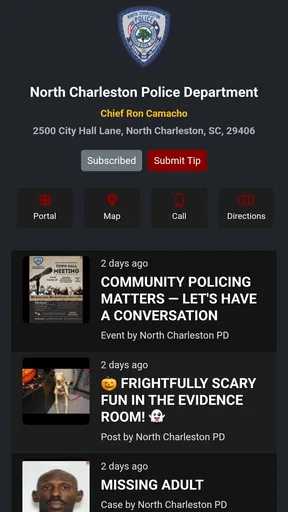
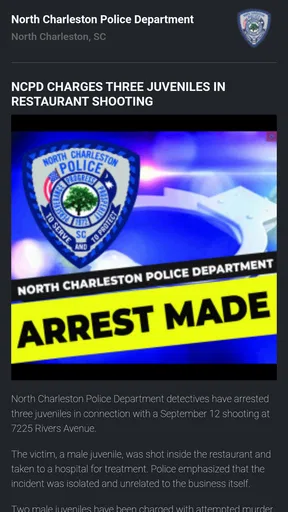
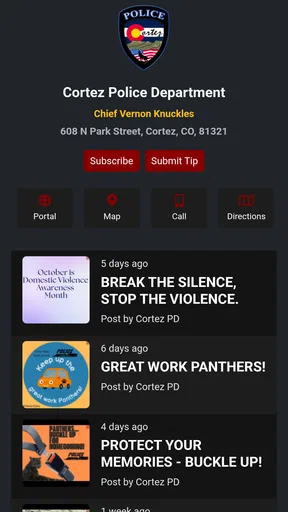
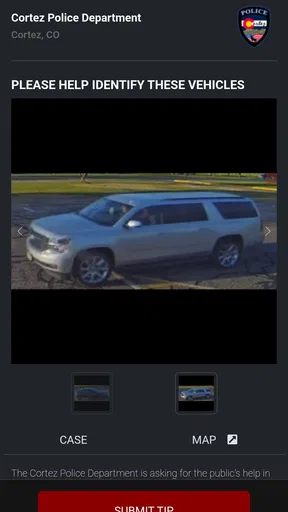
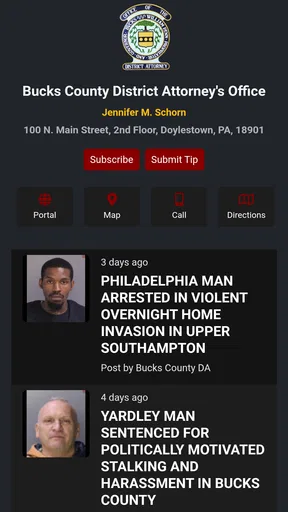
CRIMEWATCH is a public-safety app designed to help users access local crime information, law-enforcement updates, alerts, wanted-person notices, and community announcements in participating areas. After installing it, you can typically browse reports and agency posts, watch informational videos, search for relevant notices, and share tips or information when that feature is available. The exact content depends on the agencies and communities using the platform.
Does CRIMEWATCH show crime information for my location?
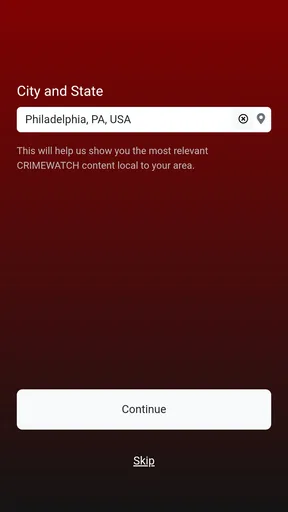
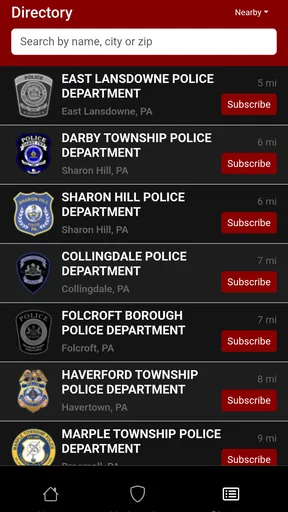
CRIMEWATCH is not available with the same coverage everywhere. Its usefulness depends on whether your local police department, sheriff’s office, or other participating agency publishes information through the service. Before relying on it, select your location or search for your local agency inside the app. If no participating department appears, you may see limited or no local reports, alerts, videos, or wanted-person information.
Can I report a crime or submit an anonymous tip through CRIMEWATCH?
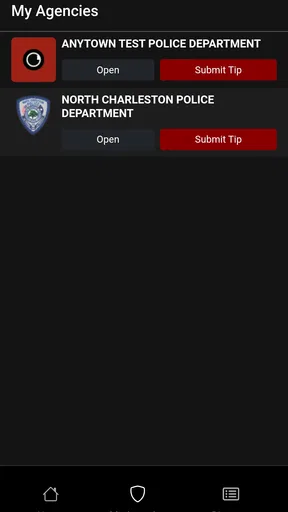
Some CRIMEWATCH agency pages provide options for submitting tips, suspicious-activity information, or other messages, and certain submissions may be anonymous. However, the available tools and response process vary by department. The app should not be used for emergencies or situations requiring immediate police, fire, or medical assistance. In an emergency, contact your local emergency number directly and follow the instructions provided by authorities.
Does CRIMEWATCH send notifications and is the information official?
CRIMEWATCH may offer push notifications for selected agencies, alerts, announcements, or newly published content, depending on your settings and local coverage. Much of the information is supplied by participating law-enforcement agencies, but publication timing and detail can vary. Notifications should be treated as public information rather than a complete, real-time record of every incident, and users should verify important details with official authorities.
Is CRIMEWATCH free, and what privacy permissions does it require?
CRIMEWATCH can generally be downloaded without an upfront purchase, although features and availability may depend on the connected agency or region. During setup, the app may request permissions such as notifications, approximate location, or access needed for displaying media and submitting information. Review the permission prompts and the app’s privacy policy before accepting them. You can usually disable optional permissions later through your Android or iOS settings.
